
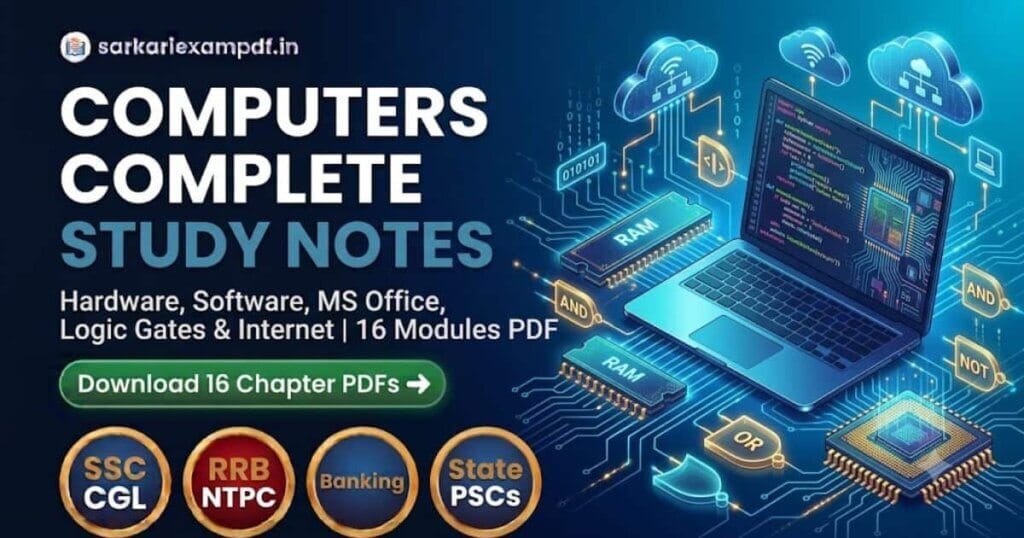
Overview: Computers Notes (Complete Computer Awareness Handbook)
SSC CGL (Tier 2 Qualifying Section), SSC CHSL, Railway (RRB NTPC, RRB JE), Banking (IBPS RRB PO/Clerk, RBI Assistant), Delhi Police, aur State PSC examinations me Computer Knowledge section qualifying aur high-scoring dono roop me anivarya kar diya gaya hai. Is Computers Notes master repository me Hardware, Software, Generations of Computers, Logic Gates, CPU Architecture, Microsoft Office (Word, Excel, PowerPoint), Memory hierarchy, Internet protocols, Keyboard Shortcuts, Abbreviations aur Glossary terms tak ke sabhi 16 modules structured format me available hain.
Key Computer Science Topics Covered in this 16-Module Hub
- Architecture & Hardware: Input/Output devices, CPU architecture (ALU, CU, Registers), Motherboard buses, Functional units, and Logic Gates (AND, OR, NOT, NAND, NOR, XOR, XNOR).
- Evolution & Systems: History of computing (Abacus to ENIAC), Computer Generations (Vacuum tubes to Microprocessors & AI), and Computer Classifications (Supercomputer, Mainframe, Microcomputer).
- Memory & Storage Hierarchy: Primary memory (RAM, ROM, Cache, Registers) vs Secondary storage (HDD, SSD, Optical discs), and Data units (Bit, Byte, KB, MB, GB, TB, PB).
- Software & Productivity: System Software vs Application Software, Operating Systems (Windows, Linux, Unix), and Microsoft Office suite shortcuts and formulas.
- Networking, Web & Security: Internet protocols (TCP/IP, HTTP, FTP, DNS), OSI 7-layer model, Web browsers, Search engines, Cyber security threats (Malware, Trojan, Phishing), and standard IT Abbreviations.
Sabhi subjects ke complete study materials aur notes download karne ke liye hamare central Competitive Exam Notes Master Hub ko zaroor access karein.
Computer Memory Hierarchy & Storage Measurements
| Memory Level | Type / Unit | Speed & Volatility Characteristics |
|---|---|---|
| Level 1 (Fastest) | CPU Registers | Internal CPU memory, highest speed, very low capacity, Volatile. |
| Level 2 | Cache Memory (L1, L2, L3) | SRAM based, bridges speed gap between CPU and RAM, Volatile. |
| Level 3 | Primary RAM (DRAM) | Main working memory, direct CPU bus access, Volatile. |
| Level 4 | ROM / Flash BIOS | Non-volatile firmware holding bootloader routines (POST/BIOS). |
| Level 5 (Mass Storage) | Secondary (SSD / HDD) | Magnetic/NAND storage, persistent non-volatile data storage. |
| Data Measurement | $$1\text{ Nibble} = 4\text{ bits}$$ | $$1\text{ Byte} = 8\text{ bits}$$ | $$1\text{ KB} = 1024\text{ Bytes}$$ | $$1\text{ MB} = 1024\text{ KB}$$ | $$1\text{ GB} = 1024\text{ MB}$$ | $$1\text{ TB} = 1024\text{ GB}$$ |
High-Yield Practice Questions on Computer Awareness
Apni preparation evaluate karne ke liye ye 5 selected standard exam questions solve karein:
Q1. Which Logic Gate is known as an ‘Inverter’ because it outputs the opposite binary state of its input?
Check Answer
Answer: NOT Gate. It has only one input and one output ($Y = \bar{A}$). NAND and NOR gates are known as Universal Gates.
Q2. In Second Generation computers (1956–1963), which major hardware electronic component replaced vacuum tubes?
Check Answer
Answer: Transistors (invented at Bell Labs by Bardeen, Brattain, and Shockley). Third generation introduced Integrated Circuits (ICs), and fourth generation brought VLSI Microprocessors.
Q3. What is the standard keyboard shortcut used in Microsoft Excel to insert a new worksheet instantly?
Check Answer
Answer: Shift + F11 (or Alt + Shift + F1).
Q4. Which networking protocol automatically assigns dynamic IP addresses to client devices on a local area network?
Check Answer
Answer: DHCP (Dynamic Host Configuration Protocol).
Q5. The bootstrap loader program executed during computer booting is permanently stored in which memory chip?
Check Answer
Answer: ROM (Read Only Memory) as part of the BIOS / UEFI firmware.
Download 16 Chapter-Wise Computers Notes PDF
Niche diye gaye topic buttons me se kisi par bhi click karein. 20-second timer ke baad direct Google Drive download link unlock ho jayega:
🖥️ Computer Hardware
Input & output devices, motherboard ports, SMPS, expansion cards & CPU components.
⚡ Basic of Logic Gates
AND, OR, NOT, NAND, NOR, XOR, XNOR truth tables, Boolean algebra & universal gates.
⏳ Computer Generations (1st to 5th)
Vacuum tubes, transistors, ICs, VLSI, ULSI, operating systems & programming languages.
💾 Computer Software
System software, application software, utilities, device drivers & open source OS.
⚙️ Functional Units of a Computer
Von Neumann architecture, Arithmetic Logic Unit (ALU), Control Unit (CU) & system bus.
📑 Microsoft Office Suite
MS Word ribbons, MS Excel formulas & functions, PowerPoint animations & extensions.
🚀 Applications of Computers
Applications in banking, defense, healthcare, weather forecasting & e-governance.
📊 Characteristics of a Computer
Speed, accuracy, diligence, versatility, reliability, memory & limitations of computers.
⌨️ Keyboard Shortcuts Handbook
Windows shortcuts, MS Word/Excel key combinations, functional keys (F1 to F12) uses.
🖥️ Computer Classification
Supercomputers, Mainframe, Minicomputers, Microcomputers, Analog, Digital & Hybrid.
📌 High-Yield Computer Points
One-liner factual pointers, repeated previous year questions & critical memory facts.
🏛️ History of Computer
Charles Babbage, Ada Lovelace, Pascaline, Analytical Engine, Herman Hollerith & ENIAC.
🌐 Internet & Networking
LAN, WAN, MAN, IP addressing, DNS, HTTP, FTP, routers, switches & network security.
🧠 Computer Memory
RAM (SRAM, DRAM), ROM (PROM, EPROM, EEPROM), Cache levels, SSD, HDD & flash drives.
📖 Glossary of Computer Terms
A to Z computer dictionary terms: Firmware, Cookie, Bandwidth, Kernel, Spooling & Phishing.
🔤 Abbreviations of Computer (Master Module)
Comprehensive directory of 500+ computer abbreviations (BIOS, ASCII, VIRUS, MODEM, EPROM, SMPS, URL, DBMS) frequently repeated in competitive exams.
Objective Computer Awareness by Arihant (Latest Edition)
The most widely used textbook for SSC CGL Tier 2, Bank PO, Clerk & Railway exams.
Kiran SSC Computer Knowledge Chapterwise Solved Papers
Comprehensive TCS question bank with detailed explanations for SSC CGL, CHSL & CPO.
Parmar Sir SSC & Railway GK Batch Notes
Complete theory coverage for General Studies, Science, Polity, History & Computers.
Railway & SSC Samanya Vigyan by Radhika Ma'am
General Awareness Theory + 2000+ Chapterwise PYQs for Railway NTPC, Group D & SSC.
📥 Join Our Social Channels for Daily Free Study Material
FAQs: Computers Notes
Q1: How many chapters are covered in these Computers Notes?
Ans: Is handbook me Computer Awareness ke sabhi 16 core chapters shamil hain: Hardware, Logic Gates, Generations, Software, Functional Units, MS Office, Keyboard Shortcuts, Internet, Memory, Glossary aur Abbreviations.
Q2: Are these notes sufficient for SSC CGL Tier 2 Computer Module?
Ans: Haan, SSC CGL Tier 2 ke qualifying standard syllabus ke mutabiq MS Office, CPU architecture, networking protocols, cache memory, aur basic logic gates ko comprehensively cover kiya gaya hai.
Q3: How do I download the Chapter-Wise Computers Notes PDFs on SarkariExamPDF?
Ans: Upar diye gaye kisi bhi topic button par click karein, 20-second countdown timer pura hone ka intezar karein, aur unlocked download button se seedhe Google Drive file access karein.
Q4: Are all PDF study files free on SarkariExamPDF?
Ans: Haan, SarkariExamPDF par uplabdh sabhi study notes, computer practice sets aur abbreviations capsules bilkul 100% free hain.
- RRB Mechanical Engineering Notes PDF: 5 Solved Technical Modules

- RRB Civil Engineering Notes PDF: 8 Chapter-Wise Technical Modules
- RRB Electrical and Electronics Notes PDF: 7 Engineering Modules
- Computers Notes PDF: 16 Chapter-Wise Computer Awareness Modules
- English Language Notes PDF: 15 Chapter-Wise Grammar & Vocab Modules
- English Chapter Wise Notes PDF: 11 Solved Grammar & Vocab Modules
- Reasoning Notes PDF: 23 Chapter-Wise Solved Topic Modules
- Reasoning Verbal Notes PDF: 18 Chapter-Wise Solved Topic Modules
- General Awareness Chapter Wise PDF: Complete 7 Subject Modules
- Static GK Notes PDF: 36 Chapter-Wise General Knowledge Modules
- Economics Notes PDF: 15 Chapter-Wise Indian Economy Modules
- RRB Polity Notes PDF: 29 Chapter-Wise Railway Exam Study Modules
- Polity and Civics Notes PDF: 38 Chapter-Wise Indian Constitution Modules
- RRB General Science Chapter Wise PDF: Physics, Chemistry & Biology Notes
- Chemistry Notes PDF: 15 Chapter-Wise General Science Topics
- Arts and Culture Notes PDF: 8 Chapter-Wise Indian Heritage & Architecture Modules
- Physics Notes PDF: 23 Chapter-Wise General Science Topics
- World History Notes PDF: 34 Chapter-Wise Global History Modules
- Modern History Notes PDF: 15 Chapter-Wise Freedom Struggle Modules
- Medieval History Notes PDF: 6 Chapter-Wise Indian History Modules
- Ancient History Notes PDF: 7 Chapter-Wise Indian History Modules
- Geography Notes PDF: 46 Chapter-Wise Physical, Indian & World Geography Modules
- Environment Notes PDF: 13 Chapter-Wise Ecology & Biodiversity Modules
- Mathematics Chapter Wise Notes PDF: 14 Solved Math Topics for Competitive Exams
- Aptitude Notes PDF: 28 Chapter-Wise Quantitative Aptitude Topics
- Computer Basics Mcqs for Government Exams Notes+100 MCQs

- Reasoning Questions – Best Guide for Competitive Exams
- Gagan Pratap – Best Maths PDFs and Books for SSC & Competitive Exams

- Rakesh Yadav – Best Maths Books and PDFs for SSC & Competitive Exams
- Aditya Ranjan Sir – Best Maths & GK PDFs for Competitive Exams
- Piyush Sir Reasoning Book PDF – Best Resource for SSC, Banking & Other Competitive Exams
- Computer Questions for All Competitive Exams
- GENERAL STUDIES Complete 138 PDF Series: High-Yield Notes & Topic Booster
- QUANTITATIVE APTITUDE PDF Complete 133 Series: Arithmetic & Advanced Maths Notes
- REASONING PRACTICE SETS Complete 139 Series: Verbal & Non-Verbal PDF Notes
- Competitive Exam Notes PDF: Subject-Wise Complete Study Material





Exam Expert & Content Strategist with over 5+ years of experience in the competitive exam sector. I specialize in analyzing government recruitment patterns and simplifying complex syllabi for aspirants. Having helped thousands of students through Sarkari Exam PDF, my mission is to provide authentic, updated, and high-quality study materials for SSC, UPSC, Railways, and Banking exams to help every candidate achieve their career goals.
⚠️ Disclaimer: All study materials, notes, and PDFs shared on SarkariExamPDF.in are provided purely for educational and reference purposes to assist competitive exam aspirants. We do not claim ownership of any original books or official publications. If you are the rightful copyright owner and have any objection regarding any material, please contact us through our Contact Page for immediate removal.